
Inbox, points and the coupon shelf
The parts of the account that talk back: where official messages land, how the points programme pays, and what the coupon shelf honours.
Inbox
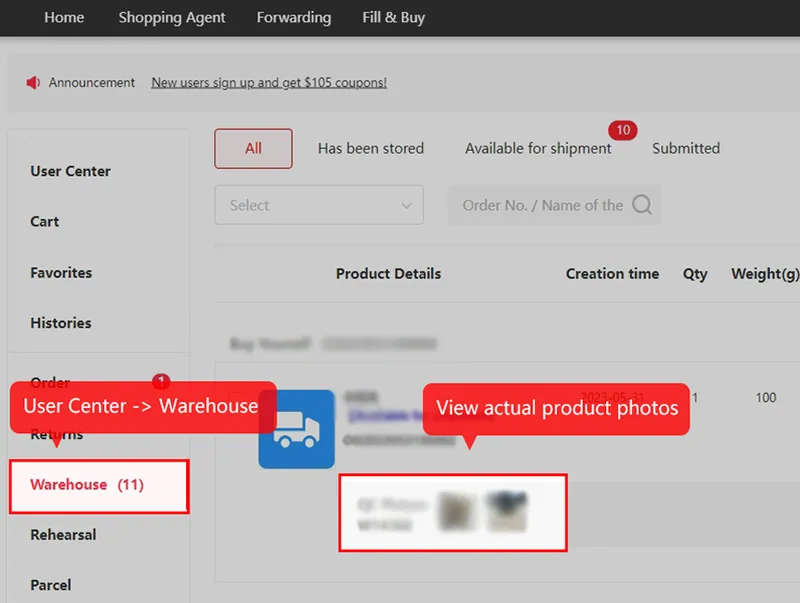
Inbox and warehouse photos: two places to check
Standard item QC photos live in Warehouse, as pictured. The operator uses the separate internal message box for deliverables as well as notices. Buy a personalised photo of a stored item, 2 yuan per picture, and the dated article describes delivery by internal message within 24 hours; check the actual service status. Order review problems surface in the order's message thread. Site-wide announcements scroll a ticker and archive to a dated list.
The one message that does not use the inbox is arguably the most important: the storage reminder, sent by email on day 90 of the 100-day free window. A missing reminder does not extend the storage period. Keep your own expiry reminder, check the recorded email address and review the account status; email and the internal inbox are different channels.

Points, posts and the sharing economy of the account
The bonus-point rules reward publication, not purchases. Post a haul video with the brand tags, or a forum writeup with your order's generated share block, and the operator credits rewards scaled to reach. The rules article is unusually candid about mechanics: concise titles, platform tags, and a nudge to re-post if a forum moderator sits on your submission.
The same rules fold in the referral layer: shared order links carry your identity, and a reader who registers through one becomes your referred user, feeding the reward programmes the promotion page runs. October 2026's campaign stacked tiered referral bonuses on top, with its own published dates and the caveat that matters: campaign rewards are not withdrawable.
Read the whole programme as marketing spend you can collect, denominated in coupons and balance credits. It is real money against future orders and nothing against your bank account.
Coupons
The coupon shelf and what it honours
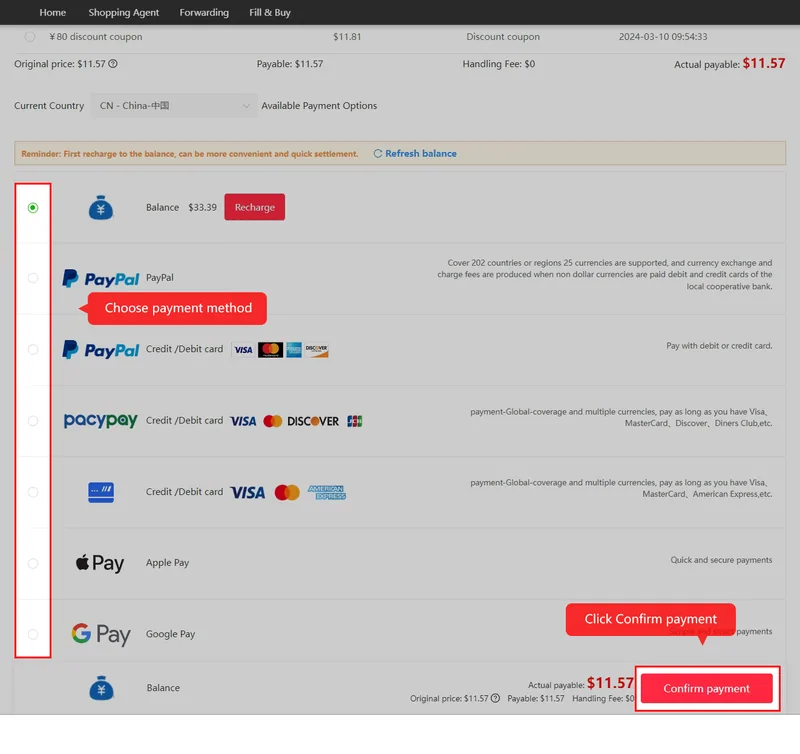
Coupons live on their own shelf in the user centre, arriving from sign-up packs, seasonal codes and campaign rewards. Redemption is manual: User Center, then Coupons, then Redeem, then paste the code. The Halloween pack announced on 9 October 2026 combined a percentage coupon and fixed-amount coupons behind one code, with different conditions, worth reading as a specimen of how these packs really price.
Two honest limits. Minimum spends read pre-discount figures, so a voucher's face value overstates its cut on small parcels. And expiry dates are firm; the shelf shows them per voucher, so check the stated validity instead of assuming a voucher is usable merely because it is visible. The announcements page tracks active campaigns with their dates.
Community
Community channels, official and otherwise
The operator runs an official Discord, linked from the home page carousel, and an official subreddit showing 21K members when read on 10 October 2026, created October 2024. Both are operator-run community channels. Posts can help identify a question, but do not replace the account’s offer terms or a documented support case.
The share-and-earn artwork below is the operator's own framing of that community: posting experiences is a rewarded activity with a monthly contest. Posts produced under a reward programme read like it, which is worth remembering when you research this or any agent through its own community channels. For balance, search the wider platforms for the brand name plus a month and read what was not written for points.

Keeping the account quiet
A maintenance routine that takes five minutes a month: open the inbox and clear it, glance at the coupon shelf for upcoming expiries, and confirm the email address on file still reaches you. Read important order messages promptly; a monthly habit does not replace a short return or support deadline.
One reading habit belongs in the routine too. The announcement list view shows month and day but hides the year, so the ticker can surface an entry from a season or two back looking current; the first ticker item in October 2026 was still the sign-up coupon announcement published in September 2024. Opening the detail page shows the full timestamp and settles it. A promotion you cannot date needs its current terms checked before you rely on it, and the dated ones are listed on the announcements page.
Reading a message is not completing its requested action
A message may deliver a photo, ask for a variant decision or explain a purchase shortfall. Read what it asks you to do and which order it concerns. If a reply or payment action is needed, opening the message alone does not establish that the order can continue; check the order status after responding.
For an unclear photo, reply with the specific view or measurement still missing. For a price change, compare the amended amount with your saved order and decide whether to proceed before funding it. Keep a pending return or storage deadline visible while the conversation continues; a support exchange does not automatically pause either clock.