
What Kakobuy registration actually hands you
Three form fields, one checkbox, and behind them a bundle of assets nobody itemises. This page itemises them, clause by clause.
Context
What Kakobuy is, seen from the sign-up page
Kakobuy is a buying agent: it purchases from Chinese shopping platforms on your instruction, warehouses the goods, and ships them abroad as consolidated parcels. The operator's own description adds freight forwarding, inspection, customs declaration and after-sales to that list, with international logistics handled by third-party carriers.
From the sign-up page, though, all you see is a short form and an orange promise. What the form creates is bigger than it looks: a wallet, an inbox, a coupon shelf, a points ledger and a referral identity, all attached to one email address. Each of those has published rules, and none of the rules is on this page of the operator's site. That gap is what this guide fills.
The form
The sign-up form, one field at a time
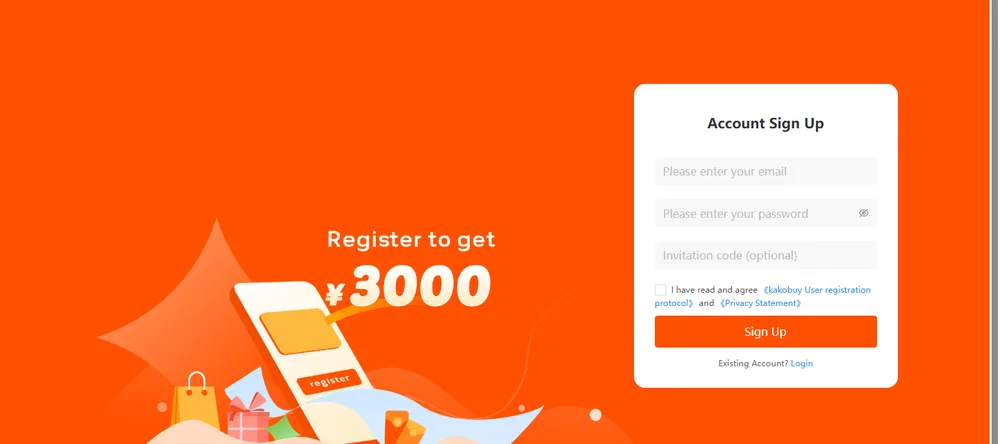
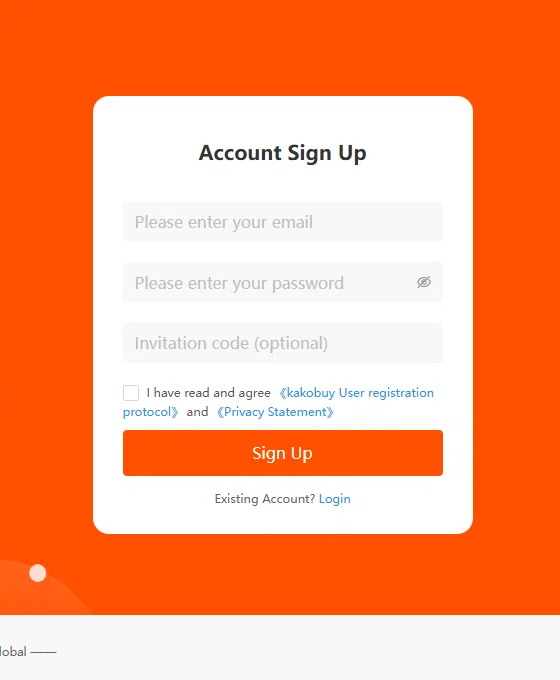
Three inputs: email, password, invitation code (optional). The email must be real, because password recovery and the day-90 storage reminder both travel through it. The username derives from the email unless set, and the protocol reserves the operator's right to rename accounts whose names contain banned vocabulary.
The invitation code field is the quiet one. Arrive through someone's referral link and the code is already filled in and locked; the page binds it from a stored value and disables the input. Arrive clean and the field is yours to leave empty. Either way it is optional, and it ties the new account to a referrer's reward programme, not to any discount schedule of yours.
Below the fields sits one checkbox covering two separate documents. They deserve their own section.
The two documents behind one checkbox
The checkbox names the Kakobuy User registration protocol and the Privacy Statement. They are separate pages with separate jobs: the protocol governs the service relationship, the privacy statement governs data. Most buyers meet them for the first time in a dispute, which is the expensive way. Three protocol clauses are worth knowing on day one:
| Field | Official value | Where the edge is |
|---|---|---|
| purchasing | Service completes within 6-15 working days normally | The same clause says the operator makes no final commitment; stock, price moves and abnormal goods push the risk to the buyer's account. |
| after-sales | Claims within 72 hours of receiving the parcel | This is separate from the conditional 120-hour request described by the five-day warehouse policy. One runs at the warehouse, the other at your door. |
| account | One account per person; name and password are yours to guard | Compromised? The sanctioned route is a new account plus support moving the balance over. Balances never migrate on their own. |
| authenticity | No counterfeits; authenticity of seller goods not promised | The operator both bans counterfeit purchases and declines to promise authenticity of platform goods. Both clauses sit in the same document. |
The privacy statement is short and plain by policy standards: data collected from what you submit, used for service and contact, with a GDPR section and a UK data controller named in the long-form version. Read both once; they are brief, and they are the entire written deal.
Signature tool
Edge finder, six assumptions tested
Each entry pairs a thing new buyers assume with the operator's published position and the boundary that actually applies. The six cover the wallet, the app, the points ledger, languages, refunds and the inbox.
What you get
Where the edge is
Counterparty
Who you contract with
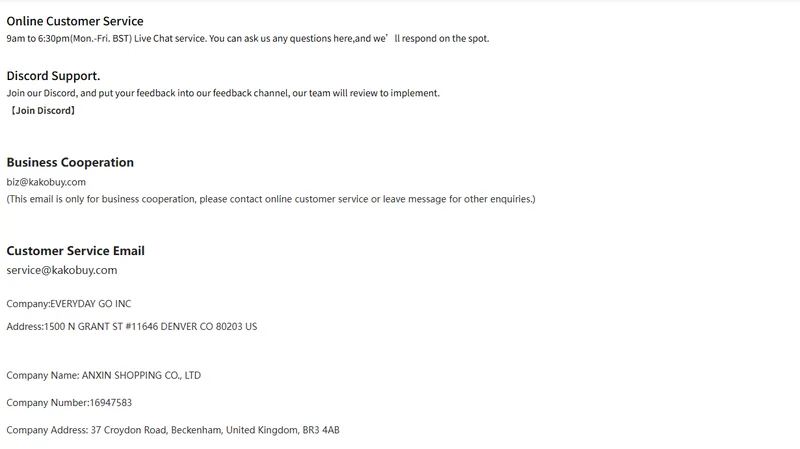
The contact page prints two companies side by side: EVERYDAY GO INC at a Denver address, and ANXIN SHOPPING CO., LTD, company number 16947583, at a Beckenham address in the UK. The about page carries the first; the privacy policy's long version names a data controller under the brand name. Nothing on the captured pages explains the division of labour between the two entities.
For a buyer this matters in exactly one scenario: a formal dispute needs a legal counterparty, and here there are two candidates on two continents. Screenshot the contact page when you register; corporate footers change more often than archives remember.
Day to day, the operational door is simpler: chat 9am to 6:30pm, Monday to Friday, UK time, or [email protected] by mail.
After registering
The wallet is empty, the inbox has a welcome note, and the coupon shelf may hold a sign-up pack. Before the first order, read the wallet page for payment currency and refund limits, and skim the inbox and points page so the first official message does not go unread.
Two housekeeping clauses from the protocol are worth acting on in the first week. Password and personal details change from the personal information screen of the member centre, and the protocol puts every action taken under your credentials on you, so a password manager earns its keep here. And if you ever suspect the password has leaked, the sanctioned sequence is change it at once, or open a fresh account and have support close the old one after moving the balance. The one move the terms never bless is sharing a login between two people and hoping the audit trail stays friendly.
Fit before funding
Why choose Kakobuy for an order?
The October 10 help snapshot describes no purchase service fee, normal storage of 100 days and an interface with multiple display languages and currencies. A public shipping estimator lets you inspect route options before paying. These features can help when you want to combine purchases and manage them through one account.
They do not decide the total cost or outcome on their own. Compare the actual conversion and payment charges, destination routes, supported goods, warehouse inspection scope and seller return terms. A translated interface does not establish support in that language. The account assumption selector above helps you identify a question to resolve before sending money.
Compare agents and sellers →You switch the header to euros after funding the account
Use the switcher to read prices in a familiar display currency, then open the transaction record to see what was actually debited and credited. Do not infer a new exchange transaction from the header label. If you need to know the currency or amount of a possible refund, ask about that payment method and receipt rather than the display preference.
This distinction also matters when comparing screenshots from other buyers. Their chosen currency, payment date and fee may differ. Use your own payment and wallet records to resolve the account question.