
Apps, languages and currencies: choosing an entrance
One app store listing, one bare APK, a mobile web fallback, and a switcher with sixteen languages. What each entrance actually serves.
iOS
iOS, the listed half
The October 10 snapshot linked an iPhone App Store listing: search the store for KakoBuy or follow the official footer badge, listing id 6456410137. Use the current listing to check supported devices, version, permissions and availability. This guide has not tested authenticated app functions or deletion behaviour.
Worth knowing before you hunt for it on a tablet in Europe: the footer links the US store; availability in other storefronts varies, and the site's own /app landing page rendered close to empty when checked on 10 October 2026. The badge, not the landing page, is the working door.
Android, the direct-download half
The Android path is a direct APK download from the operator's own static file host, linked on the site. The captured filename carries build tag 260828; the tag alone does not verify the release date or current version. A Google Play badge sits in the footer, but a verified Play listing could not be found when this site checked on 10 October 2026.
Direct APK distribution differs from installation through an app store. Check the official publisher, supported devices, permissions and update instructions before installing. The dated download link does not establish whether an in-app updater exists.
If that maintenance model does not appeal, the mobile web entrance at m.kakobuy.com covers the same ground in a browser, and the desktop site works responsively. Push notifications, offline behaviour and feature parity were not tested here. A working mobile web route is a useful fallback to compare.
One more oddity for completeness: the site's own /app landing route rendered close to empty when checked, a few hundred characters of scaffold and no content. The working doors are the footer badges and the direct links, not the route a reasonable person would guess. Small thing, but it is the difference between concluding the app is dead and finding it one click away.
Download the APK only from the operator's own domain, reached from the official footer. A badge or a filename alone does not establish the provenance of a file on another site.
Switcher
The switcher: sixteen languages, twelve currencies
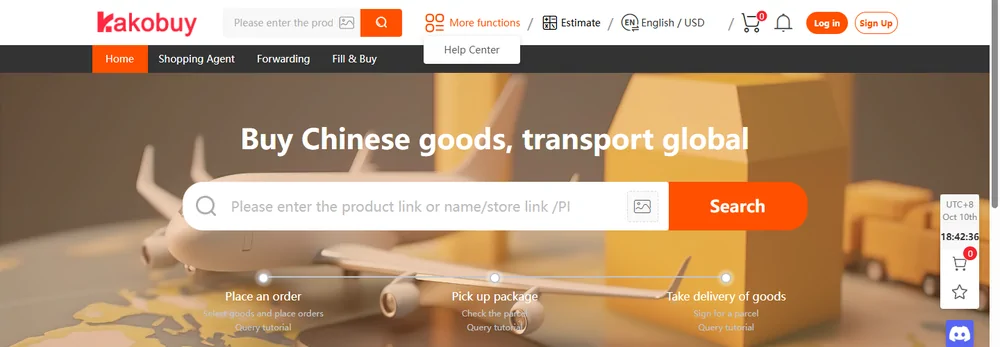
The header switcher is the most international surface of the whole service: 16 interface languages including Arabic, Korean, Greek, Japanese, Polish, Romanian, Swedish, and 12 display currencies, default English / USD. The currency list grew by one between the May and October 2026 captures, when NOK appeared as the twelfth.
Both pickers are display-layer controls. The language option rewrites menus and labels but not help-centre articles, which stay English. The currency option restyles price tags and never touches the wallet, whose settlement treatment follows the payment and account rules. The pairing of a broad switcher with a narrow service window, chat at 9am to 6:30pm, Monday to Friday, UK time, is the single most misread fact about this account.
Arabic appears in the captured language list. That option alone does not establish complete right-to-left layout or the translation method. Whether every screen mirrors cleanly is another matter; menus translate, embedded help screenshots stay in their original language, and the estimator's route notes stay English whatever the switcher says.
Choosing an entrance, three buyer profiles
- Order rarely, from a desktop. Skip the apps entirely. The web account plus email notifications covers a quarterly haul without another binary on any device.
- Order monthly, on an iPhone. Compare the current App Store listing with the web experience and verify which notifications actually arrive on your device.
- Order monthly, on Android. Read the current official APK installation and update instructions. If you prefer the browser, bookmark the mobile web entrance; feature differences need checking on your device.